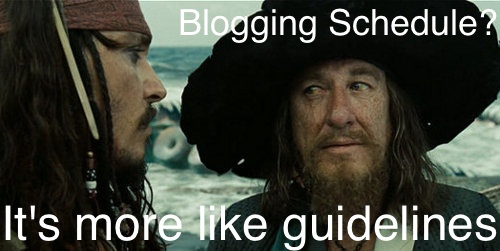
Meme Monday 8 – Guidelines

Guidelines

Another week, another feeling that I can’t get some fiction together and up on the blog. I may have bitten off more than I could chew! I had hoped I was building up to this, but maybe I wasn’t ready, maybe I need to reorganize and prioritize differently. Probably.

We posted on Comparative Geeks as well that we’re going to try to post a little less there – I’m hoping I can translate that into some more fiction blogging here, and keep up my weekly submissions over on Sourcerer as well. That’s a lot of writing still, and I don’t think cutting one post over on Comparative Geeks will hurt – instead, I hope it will help.

As to the meme, I always felt like the whole “more like guidelines” thing should be one… when I started looking it up a while back, I found it WAS a “standard” meme, and this is the standard picture for it. So there you go!

Six Word Saturday 9

[tweet https://twitter.com/dbc_ii/status/503196048190210049]

Whoops.

I forgot about Flash Fiction Friday yesterday. Just completely. My wife talked a bit about what we were up to yesterday, so that’s some of it. And I guess, some of it too is changing Features, you suddenly have something new to remember! Be ye warned.

I always wanted to use the line above for a Meme, and just never had inspiration. It seems like the sort for a two-part sort of thing: the first one, something. There’s the part I didn’t know. But part two is Doctor Moon, from the Doctor Who classics Silence in the Library and Forest of the Dead, saying “and then, you forgot.” If you have any ideas for making the Meme, let me know and I will see what I can do!

Anyway, Flash Fiction Friday is not dead, it will return – I had even tweeted a story. I’ll just be saving that…

And reminder: Doctor Who series 8 starts tonight!

What to do about Mondays?

I ran this poll in a post recently, but I thought I would highlight it and see if I could get more responses. Please vote if you are interested!

I think that Meme Monday is not going very far. It does not get many views, or likes, or comments. The memes, once shared on Tumblr, tend not to go very far (though a few have gotten a few likes and reblogs). Overall, it’s work for not much result. And I have succeeded at the initial test with my Features: I have worked them into my weekly flow, I have increased the number of posts on the site, and people are reading/viewing/interacting with the posts.

Well, especially the Wednesday post, anyway.

So I am thinking a new Feature for Monday, thus the poll! Let me know what you would like to see from the blog, here, and I’ll see what I can’t do to deliver!

Meme Monday 6 – Heavy in Your Arms

Doctor Who - Florence & the Machine

Recently on my post on Florence & the Machine, there were some Doctor Who connections in the form of a meme… and in the comments, I got the idea for another one. Everyone really liked the song “Heavy in your arms” in the comments, so… enjoy!

One Month of Features – Thoughts!

Yesterday I talked about the stats difference from doing Features on a regular basis. As these things go, when you post more frequently, you get more views! It’s like science.

However, I have some more direct learning and thoughts after a month worth of Features. Even if the stats say “doing features is good!” what does that really mean – and do I need to keep up with these same features? A few questions to consider!

Learning More about WordPress

So the first thing that really happened when I started to work on setting up Features was that I started learning more about WordPress. I found a couple of things in particular. One is a setting that makes it so people can like and share posts directly from the Home Page/Archives Scroll. For the Photo Blogging I have been doing, this is a big step, I think – there is no reason someone really needs to click into these posts; they can read and/or see everything from the home page.

I considered this when it comes to Comparative Geeks, as well. However, while we have been writing a bit of shorter posts lately (after what we learned in the A to Z Challenge), most of them still use the “More” separator, to keep the home page from being massive, to hide spoilers, and just generally because it’s how we write and present our posts. So people need to click into them to get the whole thing anyway – so the liking and interacting can all be “hidden” there, without it being troublesome. But with these simple photo posts, no reason to add steps!

Another thing I have found out is that Tweets with line breaks don’t get picked up in the feed on WordPress, so most of my Six Word Story posts haven’t shown up here. So I probably shouldn’t post them like this:

[tweet https://twitter.com/dbc_ii/status/484861322706698240]

The other thing I learned is that there is a Screen Options menu, hidden away on every post you work on!

Screen Options

If, like me, you’ve never noticed/clicked that before, give it a go! Here you can pick which additional menus or options you have to work with, below your post. For instance, you can write a custom Excerpt for the WordPress Reader or RSS feeds – something I have seen other blogs do, but had no idea how to do myself! It also includes the options for manually turning comments, trackbacks and pingbacks, etc. on and off. Or for choosing who the author on a post is! So many options! That I had no idea about. Fellow WordPress bloggers: give this a look!

Read more of this post